
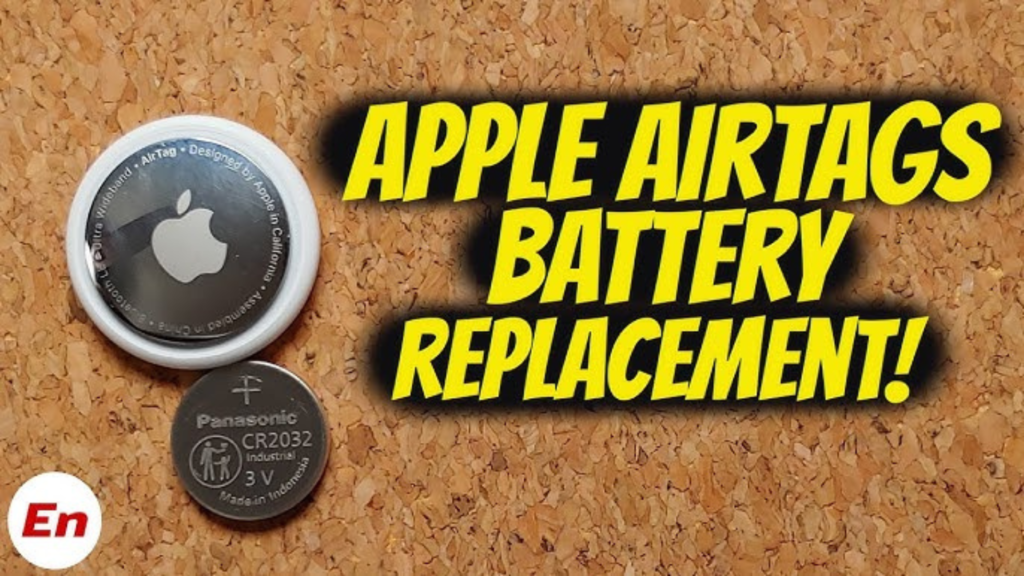
It usually happens at the worst possible time. You’re rushing out the door, can’t find your keys, and realize your AirTag hasn’t pinged its location in days. While Apple’s trackers are legendary for their year-long endurance, they aren’t immortal. If you’ve received that “Low Battery” notification on your iPhone, it’s time for a quick swap.
In 2026, keeping your gear powered is simpler than ever, but there is one major “trap” involving battery coatings that still trips up thousands of users. If you buy the wrong type of battery, your AirTag simply won’t turn on.
In this guide, I’ll walk you through how to change battery in AirTag correctly, avoid the common “bitter coating” mistake, and ensure your tracker chirps back to life instantly.
Key Takeaways
- The Right Cell: You need a CR2032 lithium 3V coin battery.
- The “Bitter” Problem: Avoid batteries with a bitterant coating (like some Duracell packs), as they can block electrical contact.
- The Chirp Test: A successful replacement is confirmed by a physical “beep” or “chirp” sound from the AirTag.
- Find My Update: After swapping, the “Low Battery” warning in your Find My app may take a few minutes to disappear.
- No Tools Needed: You don’t need a screwdriver or prying tool; just your thumbs and a little bit of pressure.
1. What Battery Does an AirTag Use?
Before you open your tracker, you need the right fuel. AirTags run on a standard CR2032 coin cell. You can find these at almost any grocery store, pharmacy, or online retailer.
Critical Warning: Many manufacturers now add a bitterant coating to these small batteries to discourage children from swallowing them. While great for safety, this coating acts as an insulator that can prevent the AirTag from drawing power. Look for “non-coated” versions or brands like Energizer, Panasonic, or Maxell.
Read Also: How to Cancel Amazon Account
2. Step-by-Step: How to Change Battery in AirTag
Follow these steps to safely open and refresh your AirTag without scratching the stainless steel finish.
Step 1: Open the Case
Hold your AirTag with the polished stainless steel battery cover facing toward you. Using both thumbs, press down firmly on the center of the metal cover and rotate it counterclockwise until it stops moving.
Step 2: Remove the Old Battery
Once you stop rotating, the cover will pop up. Lift it off and set it aside. Remove the old CR2032 battery and dispose of it responsibly at a battery recycling center.
Step 3: Insert the New Battery
Place your new CR2032 battery into the well with the positive (+) side facing up. You should see the text and the “+” sign looking at you.
- Listen for the Sound: As you press the battery down, the AirTag should play a brief, melodic chirp. If it doesn’t, your battery might have a bitter coating (see the FAQ below for the fix).
Step 4: Reattach the Cover
Align the three tabs on the metal cover with the three slots on the AirTag body. Press down firmly and rotate the cover clockwise until it clicks into place and will no longer turn.
AirTag Battery Comparison: Coated vs. Uncoated
| Battery Type | Pros | Cons | AirTag Compatible? |
| Uncoated CR2032 | Best conductivity; instant connection. | Harder to find in child-safe packs. | Yes (Recommended) |
| Bitter-Coated CR2032 | Safer for households with kids. | Acts as an insulator; often won’t power the device. | No (Unless cleaned) |
| Cheap “No-Name” Cells | Very inexpensive. | Shorter lifespan; prone to leakage. | Yes (Temporary) |
3. How to Know if Your AirTag Battery is Low
In 2026, your iPhone is smarter about tracking these levels. You won’t see a 1%–100% counter, but you will see:
- A Push Notification: Your iPhone will alert you when the battery is “Very Low.”
- The Find My App: Open the app, tap Items, and select your AirTag. If it’s dying, a red battery icon or the text “Low Battery” will appear under its name.
4. Troubleshooting: Why Is My AirTag Still Not Working?
If you just changed the battery and the “Low Battery” warning is still there, or the device won’t turn on:
- Wipe it down: If you used a bitter-coated battery, use a cloth with isopropyl alcohol to vigorously wipe both sides of the battery. This removes the non-conductive film.
- Check the Tabs: Ensure the metal tabs inside the AirTag aren’t bent too far down. They need to touch the battery to create a circuit.
Conclusion
Learning how to change battery in AirTag is a simple 30-second task that keeps your valuables safe. The biggest hurdle is simply ensuring you have a clean, uncoated CR2032 battery. Once you hear that confirmation chirp, you’re good for another year of stress-free tracking.
Would you like me to find a link to a high-quality, AirTag-compatible battery pack that’s currently on sale?
FAQ Section
Q: Can I use a CR2025 battery instead of a CR2032?
A: No. While they look similar, the CR2025 is thinner than the CR2032. It won’t sit snugly in the AirTag, leading to a loose connection and a tracker that constantly turns off.
Q: How long does a new AirTag battery last?
A: Under normal usage (performing a few “Precision Findings” a week), a high-quality battery should last approximately one year. If you use the speaker or tracking features daily, it may drain in 8–9 months.
Q: Why did the “Low Battery” warning stay on after I changed it?
A: The Find My app doesn’t always update instantly. It may take anywhere from a few minutes to an hour for the app to communicate with the AirTag and recognize the fresh voltage. Try restarting your iPhone if the warning persists for more than a day.
Q: Is the AirTag still waterproof after changing the battery?
A: The AirTag is rated IP67 (water-resistant up to 1 meter for 30 minutes). However, this depends on the battery cover being fully locked. Always ensure you rotate the cover clockwise until it physically cannot turn any further to maintain the seal.