
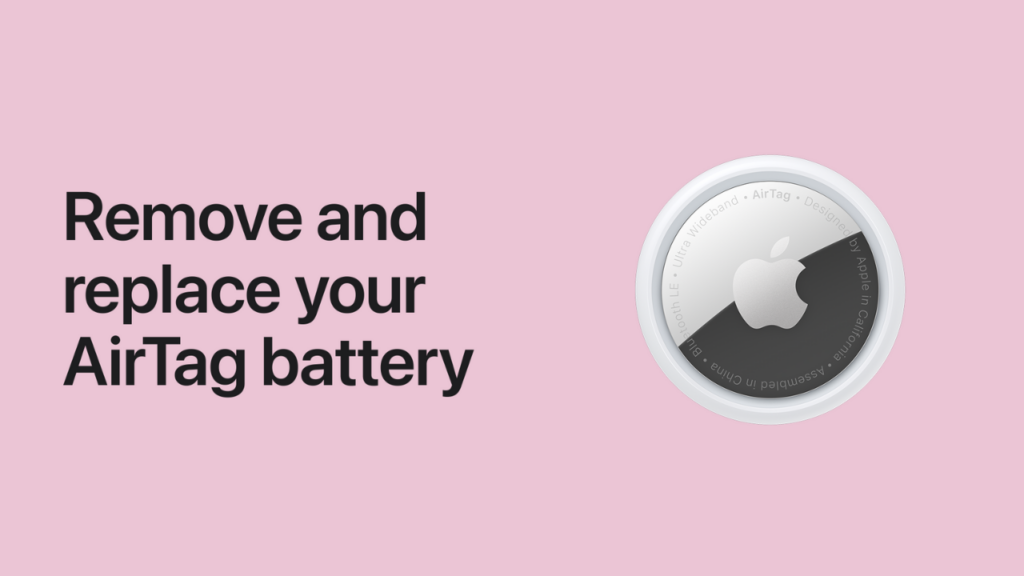
You rely on your Apple AirTag to keep track of your keys, luggage, and even your pets. But after about a year of faithful service, you’ll eventually see that dreaded “Low Battery” notification on your iPhone.
Don’t worry—you don’t need to buy a new device or take it to the Apple Store. Replacing the battery is a simple, 30-second DIY task that anyone can do at home.
In this guide, we will show you exactly how to replace an AirTag battery, explain which specific battery you need, and reveal a common mistake that prevents many new batteries from working.
Key Takeaways
- Battery Type: You need a standard CR2032 3V lithium coin battery.
- The “Bitter Coating” Warning: Avoid batteries with a bitterant coating, as they often fail to make a connection.
- Tools Needed: None! You only need your hands and a fresh battery.
- Lifespan: An AirTag battery typically lasts about one year with normal use.
Step 1: Get the Correct Replacement Battery
Before you open your AirTag, make sure you have the right part. AirTags use a CR2032 lithium 3V coin battery. These are widely available at grocery stores, pharmacies, and online.
Performing an apple airtag battery replacement is a simple process that you can do at home in under a minute. To begin, you need to know how to open airtag casings: hold the device with the stainless steel side facing you, press down firmly, and rotate it counterclockwise until it stops
Once you remove airtag battery, you can change airtag battery by inserting a new CR2032 lithium 3V coin battery with the positive (+) side facing up. When you replace battery airtag correctly, you will hear a chime indicating it is powered on. Finally, to change battery in airtag securely, align the tabs on the cover, press down, and rotate clockwise to lock it back in place.
The Bitter Coating Issue
This is the most important tip in this guide. Many battery manufacturers (like Duracell) apply a bitter-tasting coating to coin batteries to discourage children from swallowing them.
Unfortunately, this coating can interfere with the AirTag’s internal contact points. If your new battery has a bitter coating, your AirTag likely won’t turn on. Look for packaging that explicitly states “Compatible with AirTags” or choose a brand without the coating.
Read More: How to Increase Metabolism
Step 2: Open the AirTag Case
Opening the AirTag is all about “push and twist.” You don’t need any screwdrivers or prying tools.
- Hold the AirTag with the polished stainless steel battery cover facing toward you.
- Press down firmly on the center of the silver cover with both thumbs.
- While maintaining pressure, rotate the cover counterclockwise until it stops moving.
- Lift the cover off to reveal the old battery.
Step 3: Swap the Battery and Hear the Chime
Now it’s time for the actual replacement. It’s a very straightforward swap.
- Remove the old battery and dispose of it safely.
- Insert your new CR2032 battery with the positive (+) side facing up (you should see the text on the battery).
- Press the battery down until you hear a distinctive “chirp” or chime. This sound confirms that the battery is making a connection and the AirTag is powered on.
Step 4: Secure the Cover
Once you hear the chime, you need to lock everything back into place to maintain the AirTag’s water resistance.
- Replace the cover, aligning the three tabs on the cover with the three slots on the AirTag.
- Press down firmly on the cover.
- Rotate the cover clockwise until it stops.
- Give the cover a little wiggle to ensure it is completely flush and locked.
AirTag Battery Comparison: What to Buy
The airtag battery replacement cost is very low because it uses a standard, user-replaceable coin cell. Typically, a single battery costs between $1 to $5 (approximately Rs. 40 to Rs. 210 in Pakistan), depending on the brand and pack size.
To save money, many users buy multi-packs, which significantly reduces the cost per unit. If you’re wondering where to buy cr2032 battery replacements, you can find them at major retailers like Amazon, Walmart, or local electronics stores.
In Pakistan, they are widely available on Daraz, Naheed.pk, or at local watch and computer shops. Always ensure you buy a lithium 3V version without a bitter coating to guarantee compatibility with your AirTag.
| Battery Brand | Bitter Coating? | Recommended for AirTags? |
| Energizer CR2032 | Usually No | Yes (Reliable connection) |
| Panasonic CR2032 | No | Yes (Often used by Apple) |
| Duracell CR2032 | Yes (Bitterant) | No (Unless coating is cleaned off) |
| Generic Brands | No | Yes (Check for 3V Lithium) |
How to Check Your AirTag Battery Status
If you aren’t sure if it’s time for a replacement, you can check the status on your iPhone.
- Open the Find My app.
- Tap on the Items tab.
- Tap the name of the AirTag you want to check.
- If the battery is very low, you will see a “Low Battery” banner under the name. If you don’t see a banner, your battery still has plenty of juice!
The apple airtag battery life is designed to be highly efficient, typically lasting about one year under normal conditions. Many users ask how long do airtag batteries last in real-world scenarios; while Apple claims “more than a year,” factors like using Precision Finding frequently or extreme temperatures can reduce that time.
If you’re wondering how long does an airtag battery last once the “Low Battery” warning appears, you usually have a few weeks to replace it. For those curious about how long do airtags last overall, the hardware itself is durable, but the user-replaceable CR2032 battery ensures your apple airtags battery life remains reliable for years to come.
Conclusion
Knowing how to replace an AirTag battery is essential for keeping your valuables trackable. Just remember to use a standard CR2032 battery without a bitterant coating, listen for that chime when you pop it in, and make sure the silver cover is twisted tightly.
It’s a small bit of maintenance that ensures your gear is always findable when you need it most.
Would you like me to find a direct link to a 4-pack of AirTag-compatible batteries so you can have them ready for your next swap?
Frequently Asked Questions (FAQ)
Q: Why isn’t my AirTag working after replacing the battery?
A: The most common reason is the bitterant coating found on some brands like Duracell. Try cleaning the battery with a cloth dipped in rubbing alcohol, or buy a battery without the coating. Also, ensure the positive (+) side is facing up.
Q: Is the AirTag still waterproof after I change the battery?
A: Yes, provided you have correctly locked the silver cover back into place. The AirTag is rated IP67, meaning it can handle being submerged in up to one meter of water for 30 minutes.
Q: How do I dispose of the old coin battery?
A: Lithium coin batteries should never be thrown in the regular trash. They are a fire hazard and can be toxic. Take them to a local battery recycling center or a Best Buy/Home Depot that offers battery recycling bins.
Q: Can I use a rechargeable CR2032 battery?
A: We do not recommend using rechargeable versions. They often have different voltage levels and discharge curves that can cause the AirTag to malfunction or report the battery life inaccurately. Stick to disposable 3V Lithium batteries.